


Glowy Beauty Cam: Photo Editor
4.23.00 Reviews
App Specs
- Version
- 1.0.6
- Updated On
- License
- Free
- Downloads
- 100,000+
- Developer
- Black King Bar
- Categories
- Beauty
- Platform
- Android
Screenshots
 Analysis by AppCompare
I approached Glowy Beauty Cam: Photo Editor as a practical beauty app rather than a full replacement for a desktop editing suite. It is aimed at quick portrait improvements, selfie styling, and AI-assisted photo edits, with a simple promise: help an ordinary phone photo look more polished without requiring advanced editing knowledge. After spending time with it, I see the appeal clearly. It is the kind of tool you open when you want a presentable image quickly, not when you want to control every curve, mask, layer, and color profile.
The app comes from Black King Bar and sits in the beauty category. It is free to install, rated for Everyone, and works on devices running Android 8.1 or later. Its current release is version 1.0.6, and the app has passed the early adoption stage with over 100 thousand installs and a 4.2 average from roughly 850 ratings. Those figures suggest that the basic idea is connecting with users, although I would still treat the rating as a useful signal rather than proof that every filter or editing result will suit your taste.
How the free experience earns its place
The most important cost detail is straightforward: you can start using the app without paying an upfront purchase price. That makes it easy to test its editing style against your own photos before deciding whether it deserves a permanent place on your phone. There are in-app purchases priced from $2.99 to $29.99 per item, so the free entry point should not be confused with an entirely cost-free experience once you explore optional paid content.
I appreciate that distinction because beauty apps often look similar at first glance. A free download can be excellent for casual use, but its value depends on how much useful editing remains available without payment and whether the paid options solve a real problem for you. With this app, I would begin by editing several different types of images: a close selfie, a group photo, an indoor portrait, and a picture taken outdoors. That gives you a better sense of whether the free tools are enough for your routine instead of judging it from one flattering image.
The paid range also means I would avoid purchasing anything immediately. First, save or compare a few results and decide whether the app’s look is genuinely different from the filters already available in your phone’s gallery or social apps. If you only need occasional brightness, cropping, or a quick complexion adjustment, paying may not add much value. If you regularly prepare profile images, beauty posts, or polished portraits and prefer this app’s workflow, an optional purchase can make more sense.
There is no reason to treat the highest-priced item as automatically better. In this category, a subtle tool that preserves facial character can be more useful than a dramatic effect that changes the whole image. My advice is to judge paid content by control and consistency: can you make a small correction without creating an artificial result, and can you repeat that style across several photos? Those are more meaningful tests than the number of visual effects on a screen.
What I found useful in everyday editing
The app’s strongest role is fast portrait cleanup. I could imagine opening it before sending a headshot to a colleague, updating a messaging profile, or preparing a casual image for a social post. The beauty focus keeps the process centered on the face and overall presentation, which is more convenient than starting in a broad photo editor filled with tools that are irrelevant to a quick selfie.
Worth Reading Before You Choose

EA SPORTS FC Mobile 26 Is a Bigger Football Game, but It Takes Time

Flipboard Shows What News Apps Must Do Beyond the Feed

Switching to Android Auto Means Rethinking Your Driving Routine

Google Calendar Makes a Crowded Week Easier to Manage

Ludo King Makes the Most of the Minutes Between Plans

Baby Panda World Brings Quick Play to Modern Phones, but Its Game Library Feels Busy
AI-assisted editing is particularly appealing for people who do not want to learn technical terminology. Instead of thinking about masks, selective adjustments, or complex retouching sequences, you can approach the image as a visual result: softer, brighter, cleaner, or more expressive. That lowers the barrier for a first-time editor. It also makes the app suitable for family members who want attractive results but may find a professional editor intimidating.
One useful habit is to make the smallest change that solves the issue. Beauty effects can look convincing on a small phone preview while becoming distracting when the image is viewed more closely. I recommend checking the eyes, hairline, skin texture, and background edges after every strong adjustment. If the face looks smooth but the surrounding details appear warped or inconsistent, reduce the effect rather than adding another filter on top.
Another practical workflow is to keep the original image untouched and treat the edited version as a separate result. That matters when an AI filter produces an appealing style but removes details you later decide you want back. It also lets you compare the app’s work with the unedited photo instead of trusting your memory. For portraits, I find side-by-side comparison more reliable than judging the edited image alone.
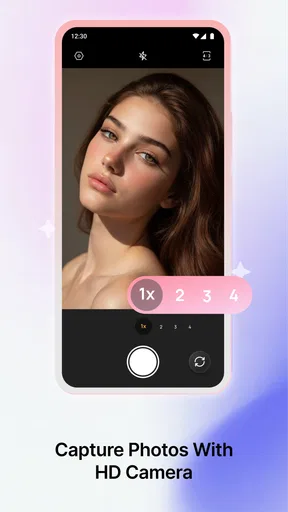
The beauty-camera angle is useful when you want to compose a photo with the final appearance in mind, while the photo-editor side is better when you already have an image in your gallery. I would choose the first approach for a quick selfie session and the second for an older picture that needs a new crop, a cleaner presentation, or a different mood. Separating those two situations helps avoid over-editing every image simply because the tools are available.
Where it compares well with familiar alternatives
Compared with the editing tools built into a phone gallery, this app is more specifically focused on beauty and selfies. A standard gallery editor usually handles basic corrections well, but it may not offer the same beauty-oriented starting point. If your main goal is a polished portrait rather than a general adjustment to landscapes, documents, or food photos, this narrower focus can save time.
Compared with a social network’s built-in camera, the app may be a better place to prepare an image before sharing it. Editing separately gives you more freedom to decide where the final photo goes, and it avoids tying the result to one social platform’s publishing workflow. I would still use a social app directly when speed matters more than refinement, such as capturing a temporary story or sending a spontaneous picture.
Professional editors remain the better choice for demanding work. If you need precise retouching, reliable color correction, layers, advanced selections, or repeatable commercial results, a beauty-focused phone app is unlikely to replace a dedicated tool. Glowy Beauty Cam is more attractive when convenience matters and the image only needs a tasteful finish. Its value is not maximum control; it is reducing the distance between an ordinary portrait and a shareable one.
Tradeoffs that matter before you commit
The same simplicity that makes the app approachable can limit experienced users. A quick beauty workflow is helpful when you know the general result you want, but it may feel restrictive if you prefer to adjust every part of a face independently. I would not choose it as my only editor for a serious photography project, especially when preserving exact texture and natural proportions is essential.
AI effects also require supervision. Automated editing can make a portrait look more even, but “better” is subjective. A filter that works beautifully on a bright, front-facing selfie may be too strong on a side-lit image or a group photo. Different skin tones, expressions, glasses, hair, and backgrounds can all change the outcome. The app should be treated as an assistant whose suggestions you review, not as an authority on how a person ought to look.
There is a social tradeoff too. Beauty tools can be enjoyable for styling and experimentation, but frequent heavy retouching may create images that no longer resemble the person in the room. I get the best results when I use the app to improve lighting, reduce distractions, or create a deliberate visual style rather than erase every natural feature. That approach keeps the final image believable and usually makes it age better as trends change.
The purchase structure deserves attention for another reason: the most useful value may differ from one person to another. A casual user might be completely satisfied with free access, while a frequent creator may consider optional paid content worthwhile. Since each item can cost between $2.99 and $29.99, I would set a personal limit before browsing extras. That prevents an impulse purchase from turning a simple editing session into an open-ended expense.
I would also test the app on the types of photos I actually take rather than relying on promotional-looking examples. Try a low-light indoor portrait, a quick image with a busy background, and a photo where the subject is not perfectly centered. These tests reveal whether the workflow fits real life. An app can look impressive with ideal selfies yet feel less useful when the lighting or composition is ordinary.
Who is most likely to get real value
This is a good match for someone who wants attractive portraits without studying advanced editing. It suits students updating a profile picture, people preparing a quick image for a birthday message, and casual creators who need a consistent beauty-oriented workflow on a phone. It can also help users who feel overwhelmed by broad editing apps because the category focus makes the purpose immediately clear.
I see particular value for someone who edits in short bursts. Imagine taking a selfie before leaving for an event, noticing that the indoor lighting is unflattering, and wanting a presentable result before sending it to friends. Opening a specialized beauty editor is more practical than moving through a complicated desktop-style process. The key is to make one or two controlled changes, inspect the result, and stop before the image begins to look processed.
It may also suit a small business owner who needs occasional personal images for a social profile but does not want to hire a designer for every update. In that situation, the app can be a convenient finishing step. I would still keep expectations modest: it can help with presentation, but it does not replace thoughtful lighting, a clean background, or a well-composed photograph.
On the other hand, I would skip it if you mainly edit documents, scenery, product photos, or images requiring exact technical adjustments. A general editor will likely be more flexible. I would also look elsewhere if your priority is completely natural, pixel-level retouching or if you dislike AI-assisted changes on principle. The app’s central appeal is precisely its beauty and automation focus, so users wanting manual control may find the experience too directed.
Parents and younger users should also remember that the Everyone rating describes the app’s content category, not a guarantee that every editing choice is appropriate for every family. The beauty theme can influence how users think about appearance, so I would encourage younger users to treat filters as creative effects rather than standards they must meet. Used that way, the app is easier to enjoy without turning editing into pressure.
Questions I would answer before downloading
Is it worth trying if I do not want to spend money? Yes, because the app is free to install and gives you a chance to judge the workflow first. I would use it on several ordinary photos before considering an in-app purchase. If the free experience already handles your needs, there is no reason to pay simply because optional items are available.
Can it replace a professional editor? In my view, no, and that is not a serious weakness for its intended audience. It is better understood as a quick beauty and portrait tool. Choose a more advanced editor when you need detailed selections, complex compositions, or strict control over the final image.
Will the results always look natural? They can, but only if you keep an eye on intensity and inspect the edges of the edited face. Automated beauty effects are sensitive to lighting and subject details. My practical rule is to lower the strength whenever the first preview looks immediately “filtered,” then compare it with the original before saving.
Is it useful only for live selfies? No. The photo-editor side makes it relevant for existing images too, which is important if most of your good pictures are already stored in the gallery. I would use the camera-oriented approach for speed and the editing workflow for more deliberate revisions.
Should I pay for the most expensive option? I would not make that decision in advance. The available items range from $2.99 to $29.99, and the right purchase depends on how often you edit and whether the additional value is visible in your own images. Start with your routine, not the price label: if you edit once every few months, free access may be enough; if you use the app repeatedly and a paid option improves your results, the expense is easier to justify.
My buy-or-skip verdict
I would recommend trying Glowy Beauty Cam: Photo Editor if your priority is quick, beauty-focused portrait editing on Android. Black King Bar has positioned it for people who want a friendly route from selfie to finished image, and the free entry point makes that proposition easy to test. The 4.2 average and growing install base support the idea that it is useful to many users, but my recommendation still depends on whether you prefer guided convenience over detailed manual control.
The best value is in the free trial of the workflow, not in buying extras before you know you need them. Use it on realistic photos, compare subtle and strong edits, and check whether the final image still feels like you. If it consistently saves time and produces the style you want, optional purchases may be reasonable. If your needs are basic or your standards are highly technical, your phone’s existing editor or a more advanced alternative may be the better choice.
For me, this app makes sense as a focused companion rather than an all-purpose photo studio. I would keep it for fast selfies, profile images, and occasional beauty edits, while turning to a broader editor for everything that demands precision. That is a clear and useful role, and it is enough to recommend the app to friends who want polished portraits without a steep learning curve. Just keep the effects measured, test the free experience first, and spend only when the improvement is obvious in your own everyday photos.
Pros
- Bright
- polished filters make selfies look ready to share quickly.
- Simple controls are approachable for users with little editing experience.
- Portrait-focused tools help enhance facial features without complex settings.
- Preview changes instantly before saving or sharing the finished photo.
- Useful for creating consistent beauty content for social media profiles.
Cons
- Some effects may look overly artificial at higher intensity levels.
- Advanced editing controls may be limited compared with professional editors.
- The most attractive filters or tools may require in-app purchases.
- Beauty adjustments can reduce natural skin texture in portrait photos.
- Heavy effects and high-resolution exports may use considerable storage space.
FAQs for Glowy Beauty Cam: Photo Editor
What is Glowy Beauty Cam: Photo Editor used for?
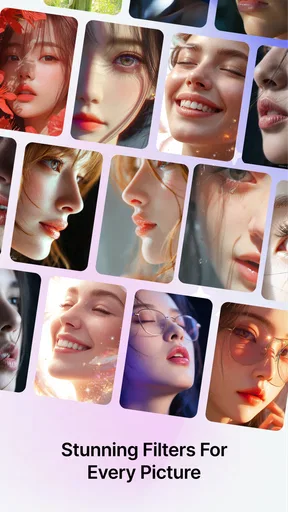
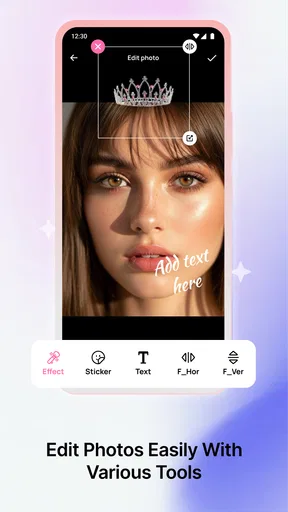
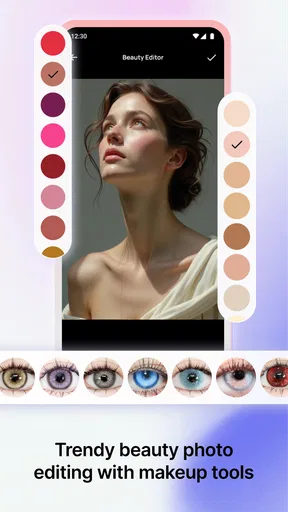
Glowy Beauty Cam: Photo Editor is designed for enhancing selfies and everyday photos with beauty filters, skin-smoothing tools, makeup effects, lighting adjustments, and decorative elements. It can help brighten portraits, refine facial details, add a polished glow, and create social-media-ready images without requiring advanced editing experience. The app is mainly focused on quick, attractive results rather than professional photo manipulation.
Does Glowy Beauty Cam: Photo Editor offer real-time beauty filters?
Yes, the app is intended to let users preview beauty effects while taking a photo, depending on the device and the version installed. Real-time filters can be useful for adjusting the overall look before capturing an image, including skin tone, brightness, facial enhancement, and makeup-style effects. Some tools or advanced effects may be limited, require an internet connection, or be available only through in-app purchases.
Is Glowy Beauty Cam: Photo Editor free to download and use?
The application may be available to download at no initial cost, but free access does not necessarily include every feature. Beauty effects, premium filters, editing tools, templates, or an ad-free experience may require in-app purchases or a subscription. Before confirming payment, users should carefully review the pricing, renewal terms, and trial conditions shown in the Google Play Store or Apple App Store.
Can I edit photos already saved on my phone?
Yes, Glowy Beauty Cam: Photo Editor is generally intended for both newly captured images and photos imported from the device gallery. This allows users to retouch older selfies, improve lighting, apply filters, add makeup effects, and make other adjustments after taking a picture. The exact editing options can vary according to the selected tool, image format, operating system, and app version.
Are my photos safe when using Glowy Beauty Cam: Photo Editor?
Users should review the app’s privacy policy and requested permissions before importing personal photos or enabling camera access. Photo editors may need access to the camera, gallery, and storage to provide their main functions, while some effects can involve online processing or advertising services. Avoid granting permissions that seem unnecessary, and check whether edited images are saved locally or uploaded for processing.


